
Elgato Facecam 4K Review A Studio Grade Webcam for Creators Who Value Control
The Elgato Facecam 4K positions itself as a step up from consumer webcams by promising DSLR like image quality, uncompressed video, and granular control through Elgato’s Camera Hub software. For creators, streamers, and professionals who want higher resolution, predictable color and exposure, and the option to use photographic filters, the Facecam 4K addresses a specific problem: achieving consistently crisp, broadcast style video without switching to a mirrorless camera and capture card. The Facecam 4K is therefore aimed at users who prioritize image fidelity, manual control, and an integrated software driven workflow.
Pros
- True 4K capture at up to 60 FPS with MJPG and a range of supported resolutions and frame rates
- Sony STARVIS 2 1/1.8″ CMOS sensor and Elgato Prime Lens for improved low light sensitivity and detail compared with typical laptop webcams
- Support for standard 49mm lens filters and built in flash memory to store settings, enabling fast setup across devices
- Uncompressed video and HDR support at select resolutions for cleaner higher dynamic range output in compatible workflows
Cons
- Fixed focus with a limited optimal focus range at 4K 30 to 120 cm can be restrictive for very close setups or larger rooms
- Encoding restrictions: 4K 60 is MJPG only and other formats NV12 and YUY2 have lower framerate and format limitations which affects compatibility and CPU load
- Some specification entries on the official listing including aperture values appear inconsistent, which complicates clear technical comparisons
- Requires USB Type C 3.0 and relatively recent operating systems Windows 11 or macOS 13 or later, narrowing plug and play compatibility with older systems
What The Imaging Hardware Actually Is
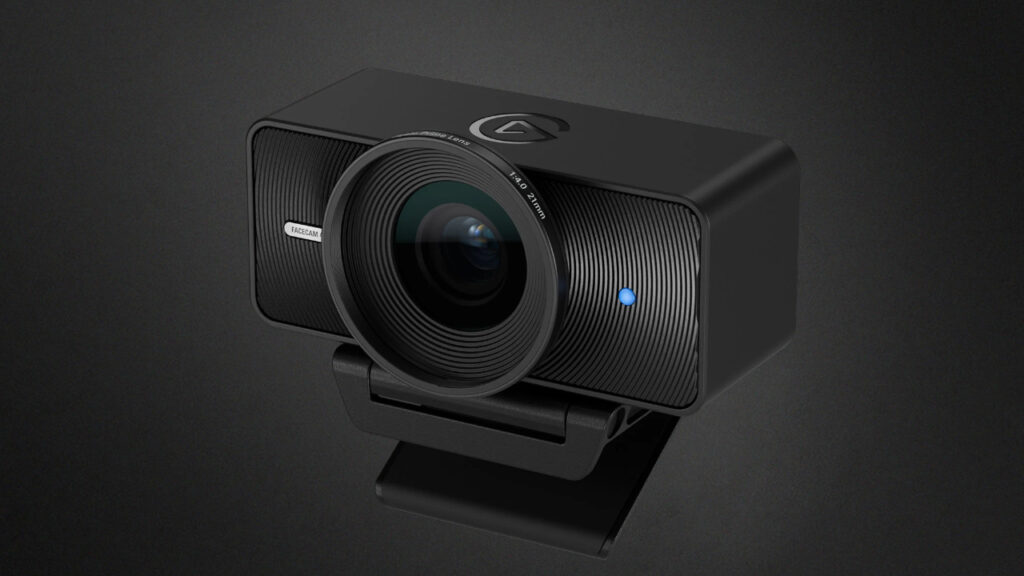
Image credit: Elgato
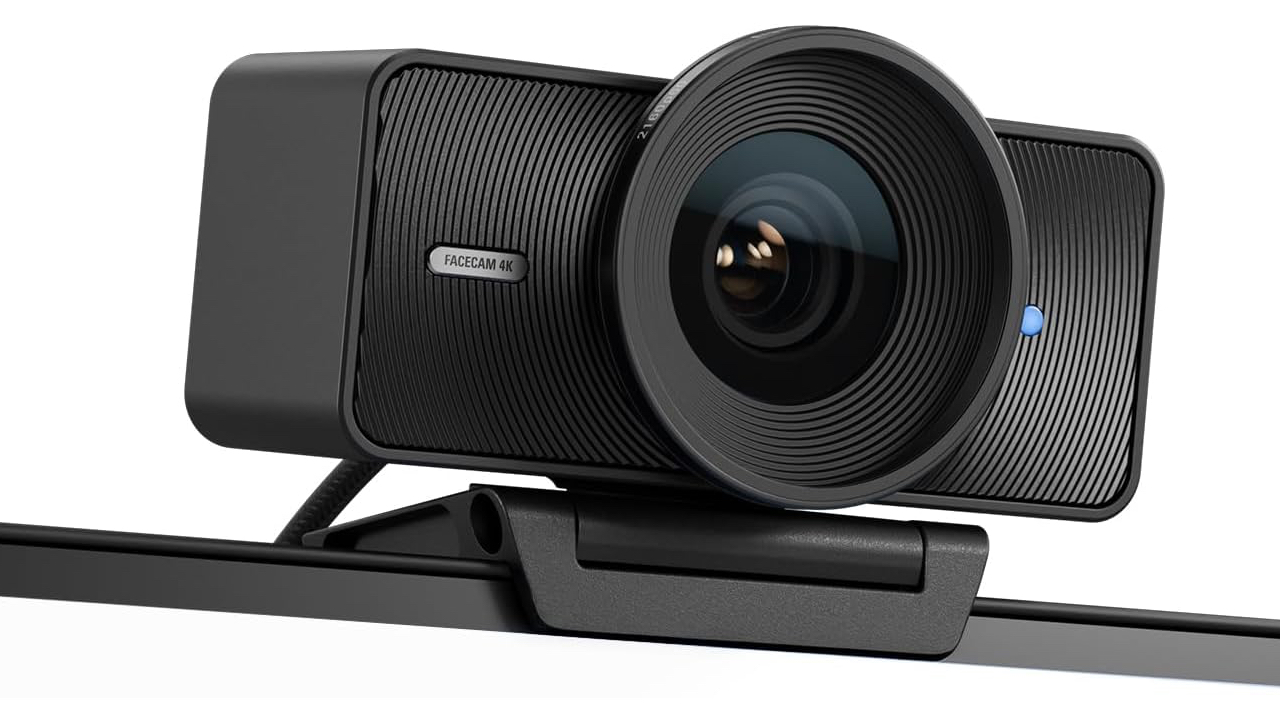
Elgato’s listing places a Sony STARVIS 2 1/1.8″ CMOS sensor at the center of the Facecam 4K’s value proposition. The listing emphasizes this sensor alongside Elgato’s own Prime Lens optics, which the manufacturer says deliver DSLR like detail and color. Those are meaningful claims in camera terms. A 1/1.8″ sensor is substantially larger than the tiny sensors used in typical laptop webcams, and a named sensor family STARVIS 2 signals attention to low light performance and dynamic range on the specification sheet.
The tech specs on the product page provide concrete optical numbers. A full frame equivalent focal length of 21 mm, a 90° field of view, and a fixed focus design. The listing also spells out a focus range of 30 to 120 cm at 4K and 25 cm to infinity at 1080p, which directly informs how you would position the camera on a desk or boom to keep a subject sharp. These figures are useful for planning. Close up talking head framing at 4K requires keeping within the specified focus band.
There is however a notable inconsistency in the listing’s aperture information. The tech specs list aperture as f/4.0, while other product details elsewhere mention maximum aperture values like f/2.8 and f/2.4. Because aperture affects depth of field and light gathering, the discrepancy is relevant for buyers comparing optical performance. The official page does not reconcile those numbers, so the safest interpretation is to use the explicit tech spec line f/4.0 as the primary value while treating other mentions as promotional or contextually different entries from the listing.
How The Extras And Controls Shape Everyday Use
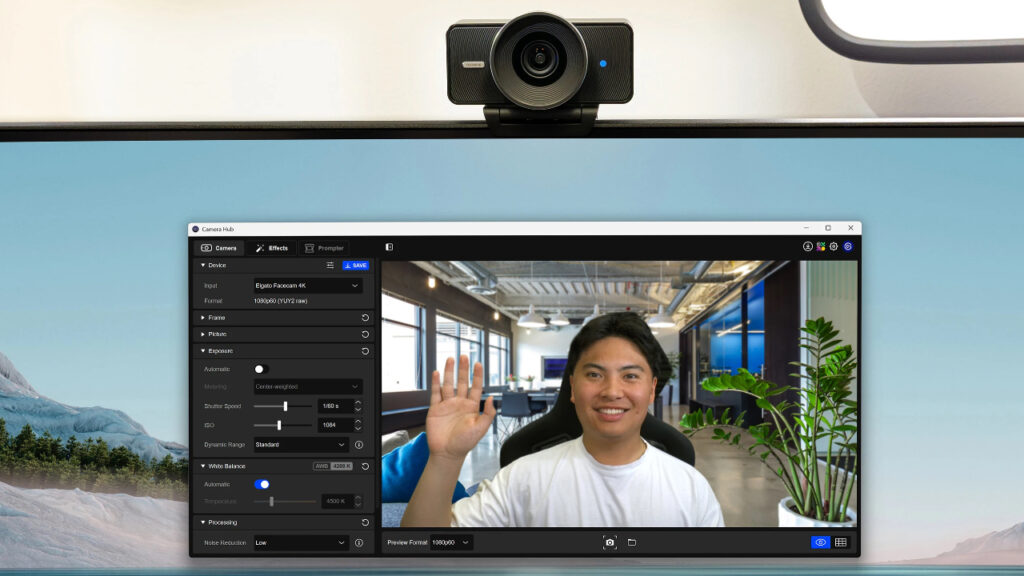
Image credit: Elgato
Beyond the sensor and optics, Elgato highlights several studio features intended to give creators practical control. The Facecam 4K stores settings in internal flash memory so your exposure, effects, and preferences travel with the camera. This eliminates repeating configuration when switching between machines. The Camera Hub software is called out as the interface for manual exposure controls including ISO and shutter, PTZ style digital pan tilt and zoom, creative effects, and virtual background handling, placing most image adjustments in software rather than relying on automatic webcam logic.
Physical design choices support a creator workflow. The Facecam uses a USB Type C 3.0 connection for bandwidth and responsiveness, a 1/4 inch mounting thread for tripods or articulating arms, and a relatively light chassis weighing 112 grams excluding mount and cable. Elgato also intentionally supports 49mm screw on lens filters, which is an uncommon convenience on webcams. It lets users apply ND, diffusion, or color filters that are typical in stills and video practice, effectively bridging a gap between fixed webcams and interchangeable lens cameras.
The product page emphasizes sustainability and build reliability as selling points. Low waste and eco friendly materials and a durable feel are noted. The listing does not provide detailed materials or IP and durability ratings. For buyers who prioritize long term ruggedness or weather resistance, the listing’s language suggests attention to materials and finish but stops short of measurable durability metrics. That means the Facecam 4K should look and feel premium, but the page does not commit to hard endurance specs.
What The Specs Say
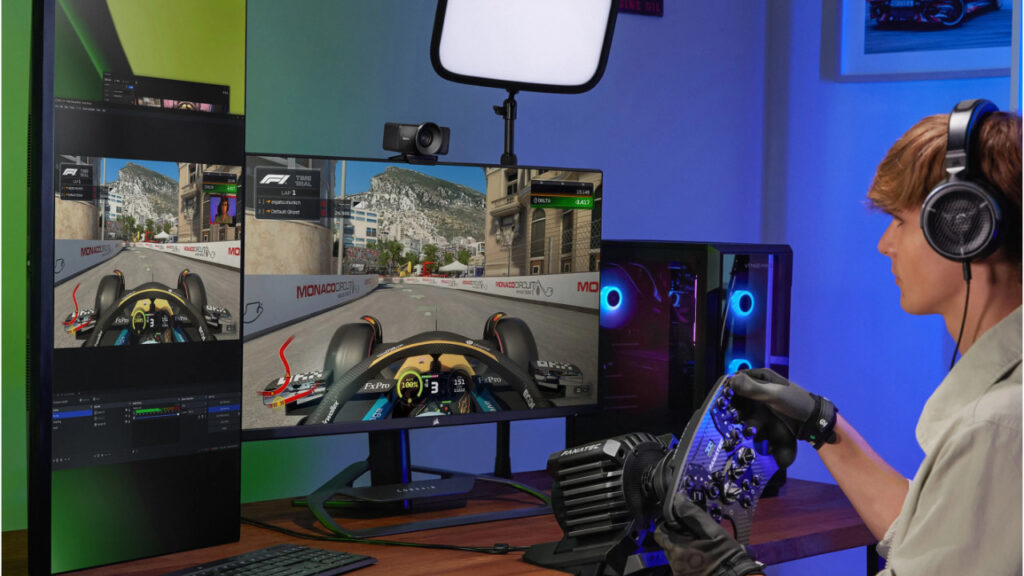
Image credit: Elgato
The listing is explicit about supported video modes and encoding. Over USB 3.0 the Facecam can output 2160p 60 FPS MJPG only, 2160p 30 NV12 or MJPG, 1440p 60 NV12 or MJPG, 1440p 30, 1080p 60, 1080p 30 and down to 540p 30 or 60. HDR is supported for several resolutions including 2160p 30 and 1080p 30. These entries define how the camera will behave in real workflows. MJPG at 4K 60 gives higher frame rates but at a heavier CPU and storage cost with lossy compression. NV12 and YUY2 options at lower rates offer more efficient pipelines in many capture setups. Buyers should match the camera’s modes to their capture hardware and streaming software to avoid unexpected bottlenecks.
The Facecam’s fixed focus and explicit focus ranges mean image sharpness at 4K is optimized for a specific subject distance. For creators who sit a standard desk distance from camera roughly 30 to 120 cm, the camera’s focus specs work well. For presenters who move around a lot, teach in a wider room, or want extreme close ups, the fixed focus poses limitations unless you switch resolution or reposition the camera. The listing’s system requirements including Windows 11 or macOS 13 and USB Type C 3.0 are performance relevant. To access the higher bandwidth modes reliably you need modern hardware and a suitable USB host.
On the audio side, the product page lists supported audio format as AAC but does not advertise integrated multi microphone arrays or advanced audio features. The Facecam is positioned primarily as a high quality image source rather than an all in one audio video device. Elgato’s messaging recommends pairing the Facecam with external audio solutions for critical voice capture, which is consistent with many creator setups where separate microphones provide better control than built in webcam microphones.
Practical Details Setup Compatibility And Edge Cases To Know

Image credit: Elgato
Installation and setup fall into a modern software first workflow on the Facecam 4K. The listing calls out Elgato’s Camera Hub as the place to configure exposure, effects, and virtual backgrounds, and the internal flash memory makes those settings portable. That arrangement is convenient for media professionals who frequently move between machines. It also means achieving the promised DSLR like look depends on using the Camera Hub software rather than simply plugging the webcam into arbitrary software and expecting identical defaults. The product page notes virtual backgrounds are limited to 1080p 60 when enabled in Camera Hub, a useful constraint to plan around.
Physical size, weight and mounting are covered clearly. Dimensions are 104 × 54 × 52 millimeters and the camera body weighs 112 grams without mount or cable. The unit uses a standard 1/4 inch thread, which integrates easily with tripods and boom arms common in creator rigs. These small concrete details matter in real setups. The Facecam is compact enough to sit on a monitor or attach to a compact arm while remaining stable and unobtrusive. System requirements list Windows 11 and macOS 13 or later. Buyers with older operating systems should confirm compatibility before assuming a plug and play experience.
There are also maintenance and storage considerations implied by the listing. Because the camera supports uncompressed and MJPG streams at high bandwidths, users should account for increased storage and network load when recording or streaming at higher resolutions. The product page’s focus on uncompressed video and HDR support is an advantage for image quality. A practical consequence is that workflows must include adequate capture hardware, fast storage, or dedicated capture cards where necessary. The Facecam is not a one size fits all upgrade. It fits into higher bandwidth hardware aware setups.
Conclusion: Should You Buy The Elgato Facecam 4K?
The Elgato Facecam 4K is a clearly specified choice for creators who want a camera that prioritizes image quality, manual control, and software integration without the step of using an interchangeable lens mirrorless body and capture card. Its Sony STARVIS 2 sensor, Elgato Prime Lens, 90 degree field of view, 4K 60 capability with MJPG, HDR support, and 49mm filter compatibility make it attractive for streamers and professionals who can match the camera’s modes to a modern computer including Windows 11 or macOS 13 and accept the fixed focus framing. Buyers seeking plug and play simplicity with older machines or who require autofocus and wide motion tolerance should consider those constraints. If your workflow can accommodate the Facecam’s bandwidth and fixed focus characteristics, the official listing shows it offers studio grade image tools within a compact software driven package.