
Creative Live! Cam Sync 4K Review Affordable 4K For Calls And Streams
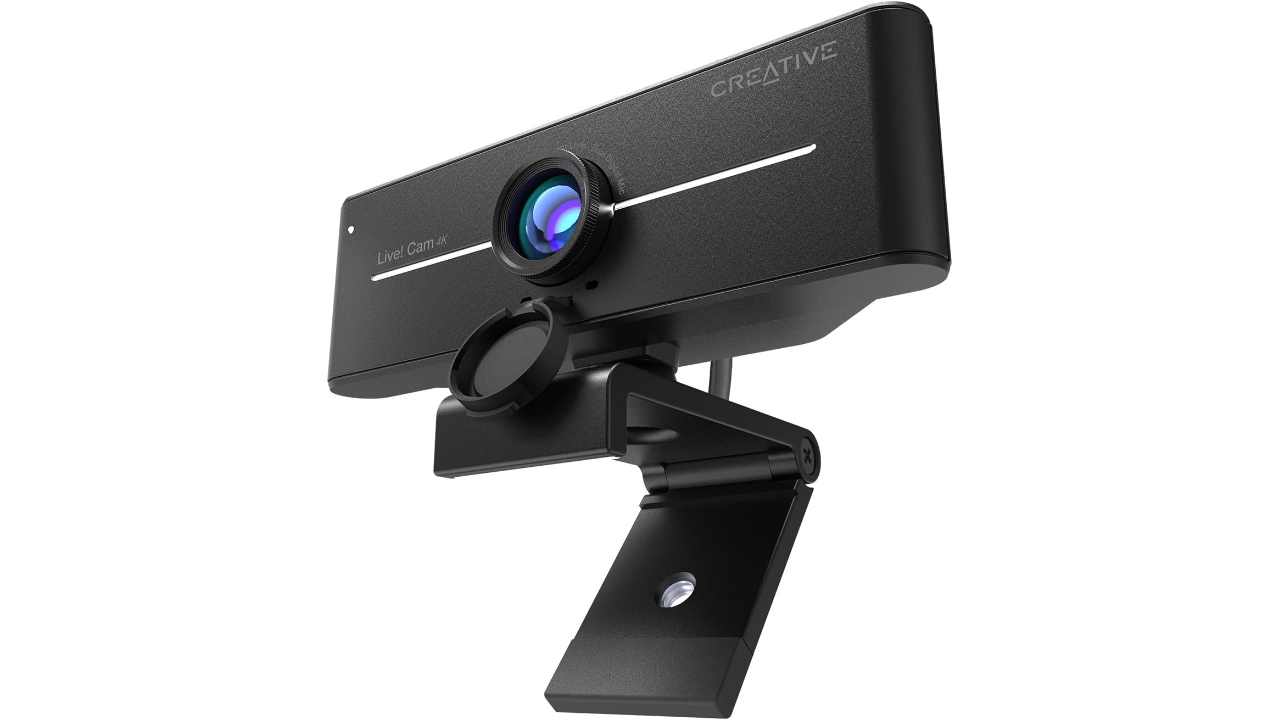
The Creative Live! Cam Sync 4K is Creative Labs offering a budget focused 4K USB webcam aimed at users who want clearer video than typical 1080p cameras without moving into high end price tiers. The product is intended for remote workers small stream creators and anyone upgrading a laptop camera and it addresses common problems such as low-resolution poor lighting and narrow framing by combining an 8-megapixel Sony IMX series sensor with 3840 by 2160 capture a 95-degree field of view and basic exposure controls.
Pros
- True 4K capable capture at 3840 by 2160 using an 8-megapixel Sony IMX series sensor which provides a higher pixel count than many consumer webcams.
- Multiple documented capture modes with higher frame rates available at lower resolutions which gives practical options for balancing resolution and smoothness.
- Wide 95-degree field of view and a manual focus ring that make it easy to include more of a room or to dial in close up focus for tabletop setups.
- Built in dual microphones a physical privacy cover and a standard tripod thread for flexible mounting.
Cons
- 4K capture is published at 25 frames per second in common modes which can look less fluid than 30 to 60 frames per second alternatives for fast motion.
- The camera relies on USB video class transfer profiles such as MJPEG and YUY2 which affect compression efficiency color sampling and CPU load compared with webcams that include on camera H.264 encoding.
- The mounting clip and mechanical design are functional rather than premium so buyers who need very rigid or precision mounting may prefer a different model.
What The Sensor and Resolution Actually Bring To The Picture
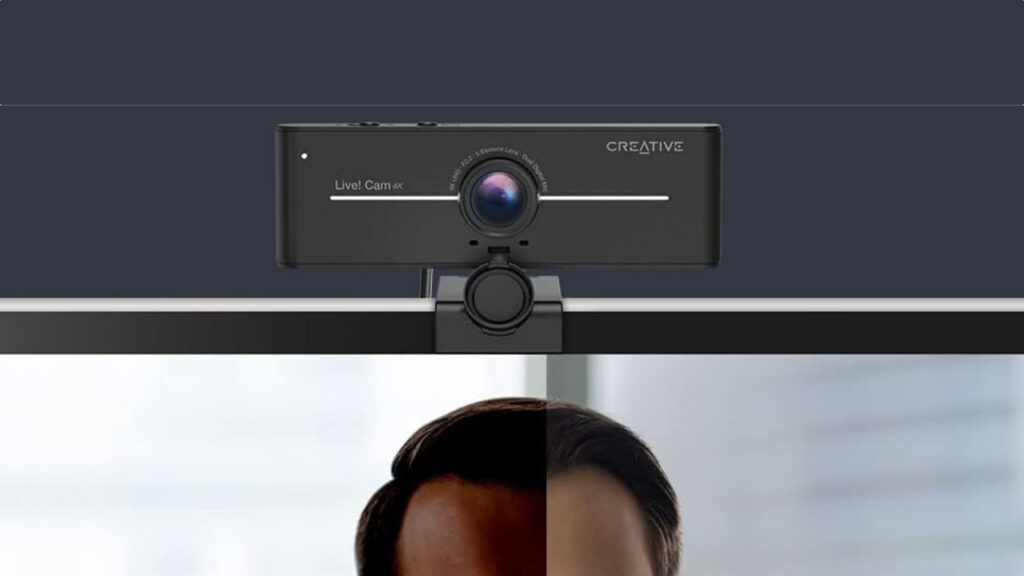
Image credit: Creative Labs
Creative lists an 8-megapixel Sony IMX series sensor and a maximum capture resolution of 3840 by 2160 pixels. That combination is the primary technical claim behind the product and it delivers a notably higher pixel count on paper compared with typical 1080p webcams. For static scenes and presentations more pixels translate to greater ability to crop or to show fine detail in documents or desk top demonstrations when the image is displayed at high resolution.
Resolution is only one part of the image equation and the published frame rate limits are an important trade off to understand. Official specifications document MJPEG output at 2160p at 25 frames per second while 1080p modes can reach higher frame rates in MJPEG. For use cases that are dominated by static framing and speech such as video conferencing and interviews 25 frames per second is adequate. For motion heavy streams or fast camera pans those frame rates will not match the smoothness of webcams that deliver 30 to 60 frames per second at the same resolution.
Creative also highlights that the camera is USB video class compliant which supports plug and play recognition on most modern Windows and macOS hosts without proprietary drivers. That means the higher pixel count tends to be accessible out of the box for typical conference applications. Buyers should keep in mind however that host CPU load and USB bandwidth can influence whether the camera performs at the advertised modes on older systems.
Design Decisions and Everyday Handling
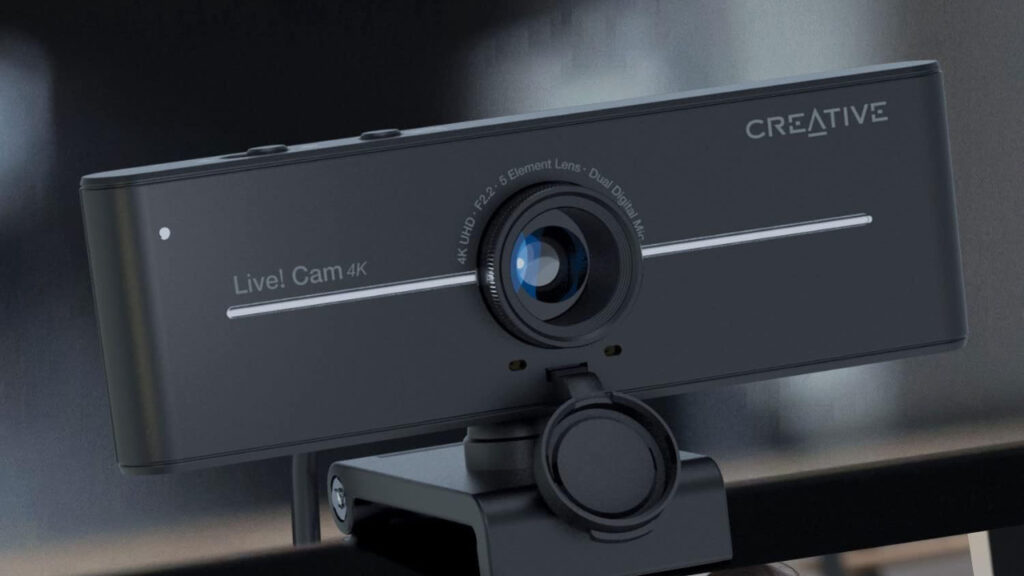
Image credit: Creative Labs
The Cam Sync 4K uses a compact horizontal housing with a central lens and a manual focus ring so users can set focus for close shots or for a fixed desk arrangement. The physical privacy cover is included in the manufacturer list of features and the package supports both a monitor clip and a standard tripod thread which enables more stable mounting off screen if required. The design emphasizes practicality and utility rather than premium materials or elaborate mechanical adjustment.
Manufacturer dimensional and weight figures place the camera in a light and portable class which makes it easy to move between workspaces or to pack for travel. The listed cable length is a typical desktop length which works for most setups without adding extensions. The clip is built to fit most common monitor profiles but very thin bezels or very heavy panels may need a tripod mount for secure placement because the clip is not a heavy-duty clamp.
On the connectivity side the camera is specified as USB 2.0 with UVC support and it exposes common capture formats such as MJPEG and YUY2. That approach simplifies compatibility and ensures the device will appear in standard video conferencing apps but it also places constraints on compression and color workflows compared with devices that implement hardware encoding on the camera itself.
Performance And Real World Use
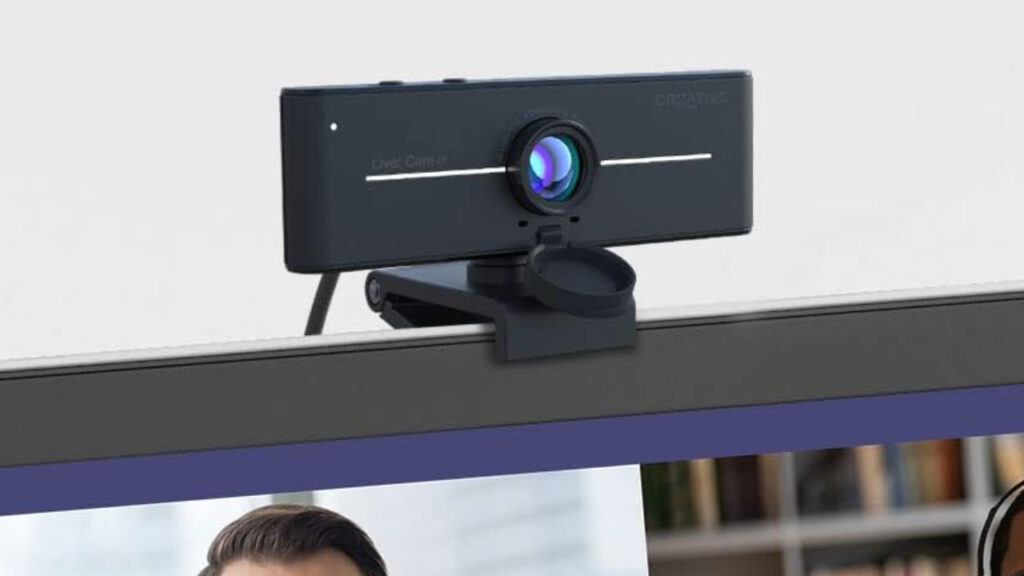
Image credit: Creative Labs
Creative positions the Cam Sync 4K as suited to video conferencing streaming and casual content creation where detail matters more than ultra-smooth motion. The 95-degree field of view is useful for including more of a room or for multi person shots compared with the narrower fields of view used by many built in laptop cameras. For head and shoulders framing or a home office presentation the generous field of view reduces the need to reposition the camera or to rely on wide angle software cropping.
The manufacturer materials also call out exposure controls such as backlight compensation and adjustable white balance levels. These features help in mixed lighting or backlit environments and they appear in the official documentation as supported adjustments often available through third party applications. Buyers who cannot control ambient lighting will find these settings valuable for maintaining visible facial detail and a usable image in contrast heavy scenes.
On the audio side the official listing includes dual built-in microphones and a physical mute switch which make the camera a one device solution for basic conferencing. Creative does not advertise studio quality audio for the built-in mics and the published materials position them as serviceable for calls and casual streams rather than as a replacement for a dedicated external microphone for podcasting or high fidelity recordings.
Additional Considerations For Setup And Compatibility
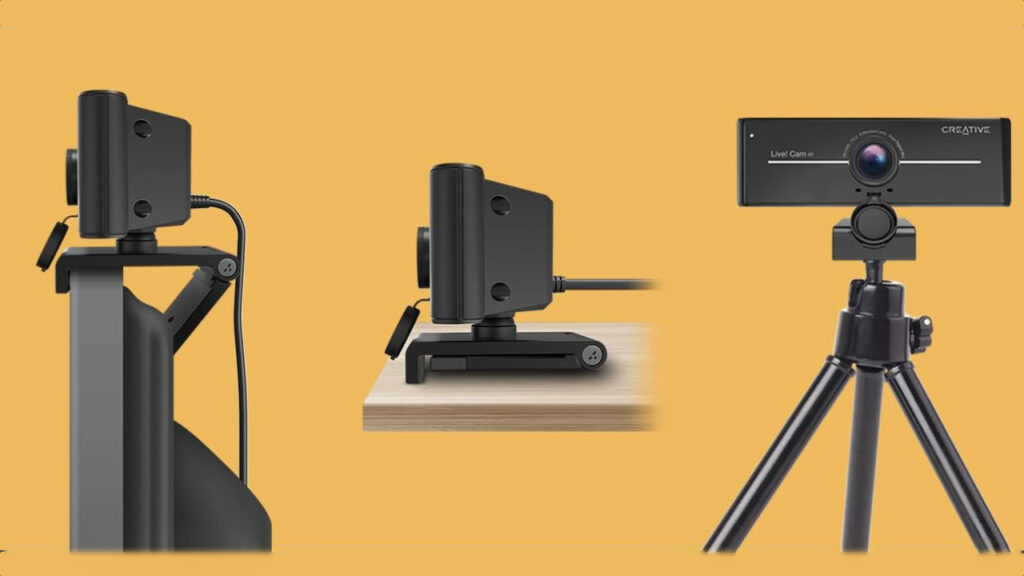
Image credit: Creative Labs
Setup follows standard UVC workflows where the operating system enumerates the camera and applications select the device for capture. Creative provides support documentation that explains how to change capture modes and how to use third party apps such as OBS to select resolution and frame rate. Because advanced capture modes are often managed in the host application buyers should be comfortable with routing settings in their chosen software to access the full set of published modes.
Practical limits arise from the choice of transfer formats and USB 2.0 bandwidth. Published specifications that list MJPEG at 2160p at 25 frames per second and higher frame rates at lower resolutions imply a tradeoff between resolution and smoothness. Systems with older processors or with congested USB controllers may experience higher CPU usage or reduced performance when encoding and streaming from the host. Buyers planning professional live production should verify host capabilities and consider cameras that provide on camera encoding if CPU load is a concern.
Maintenance and portability are straightforward given the compact weight and included privacy cover which protects the lens during transport. The basic clip is convenient but not highly rigid so buyers who need rock steady camera placement should budget for a small tripod or a third-party mounting accessory. The standard tripod thread that is listed by the manufacturer makes this possible without proprietary adapters.
Conclusion Should You Buy The Creative Live! Cam Sync 4K?
The Creative Live! Cam Sync 4K offers an accessible route to higher resolution video with an 8-megapixel Sony IMX series sensor 3840 by 2160 capture and a wide 95-degree field of view which address common upgrade needs for remote workers and casual streamers. Its strengths are clear on paper and include higher pixel density manual focus dual microphones and practical accessories such as a privacy cover and tripod thread. The main tradeoffs are that 4K capture is specified at 25 frames per second in common modes and the device relies on MJPEG and YUY2 over USB video class which increases host encoding requirements compared with webcams that include hardware encoding. If you want clearer static framing and wider coverage for calls presentations and casual streams and you are comfortable with the documented frame rates and host side encoding implications then the Cam Sync 4K is a solid cost-effective choice. If you need 60 frames per second at high resolution studio grade color accuracy or a premium mounting system, consider a higher tier model that includes on camera encoding and more robust mechanical hardware.