
Razer Kiyo Pro Ultra 4K Webcam Review Premium Video Quality for Serious Creators
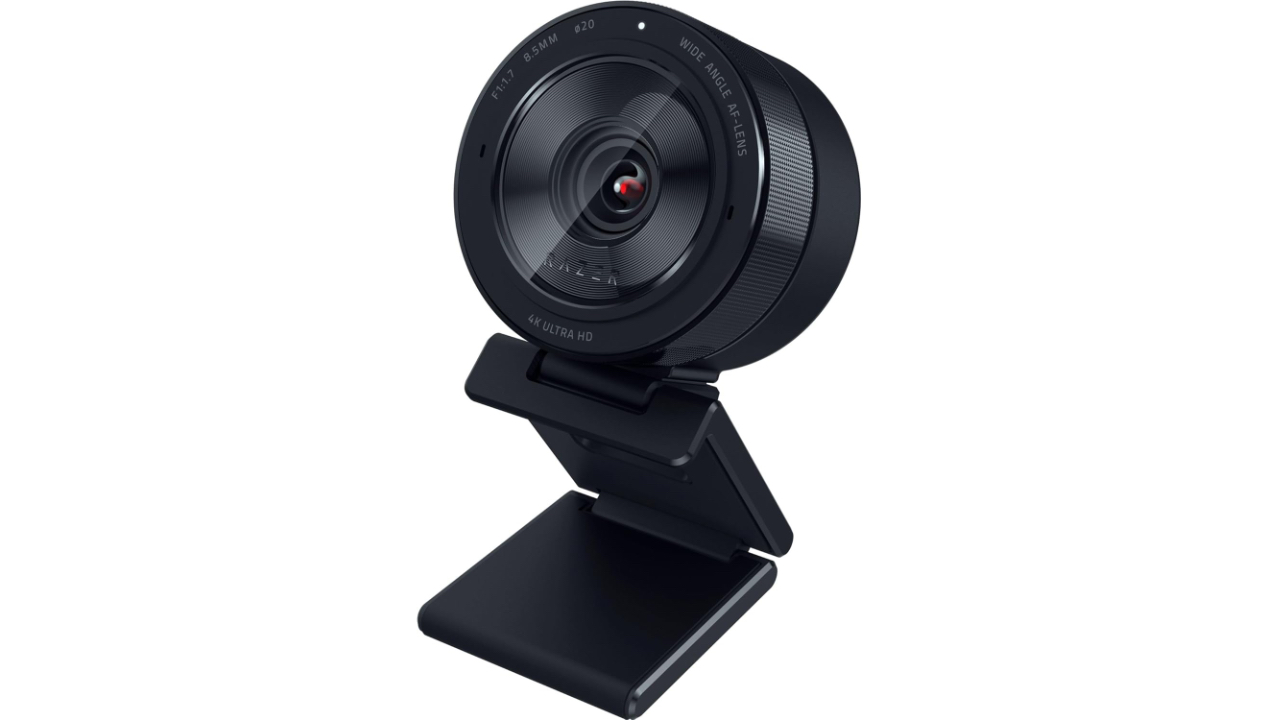
The Razer Kiyo Pro Ultra is a premium 4K webcam aimed at streamers, content creators, and professionals who want desktop footage with higher baseline fidelity than typical webcams. Built around a 1/1.2-inch Sony STARVIS 2 sensor and a fast F1.7 lens, the camera emphasizes low light sensitivity, dynamic range, and flexible capture modes. The Kiyo Pro Ultra is most relevant to buyers who need high resolution and nuanced image control for streaming or recorded content and who will pair the camera with a host system capable of handling high data rates.
Pros
- Large 1/1.2-inch Sony STARVIS 2 sensor with 2.9 micron pixel pitch for improved light gathering and color fidelity compared with typical webcam sensors
- F1.7 aperture lens that delivers natural subject separation and better low light performance without relying entirely on software blur
- Multiple capture options including 4K at 30 FPS in compressed formats, uncompressed 4K at 24 FPS in YUY2 or NV12, 1440p at 30 FPS, and 1080p at 60 FPS
- HDR support for richer contrast and color up to 30 FPS and AI imaging controls accessible on Windows via vendor software
- Iris style privacy shutter, on board memory for saved settings, durable monitor clip, and tripod compatibility
Cons
- Premium price makes it less practical for casual video conferencing
- Synapse 3 software can be unstable at times and is available only for Windows 10 and 11 which limits customization on other platforms
- Field of view is narrower than many competing webcams at a maximum of 82 degrees which produces tighter framing than previous Razer models
- Uncompressed 4K output is limited to 24 FPS so 4K at 30 FPS requires a compressed format such as MJPEG or H.264
- Built in microphones are adequate for calls but not a substitute for a dedicated external microphone
What Makes the Sensor and Lens Stand Out
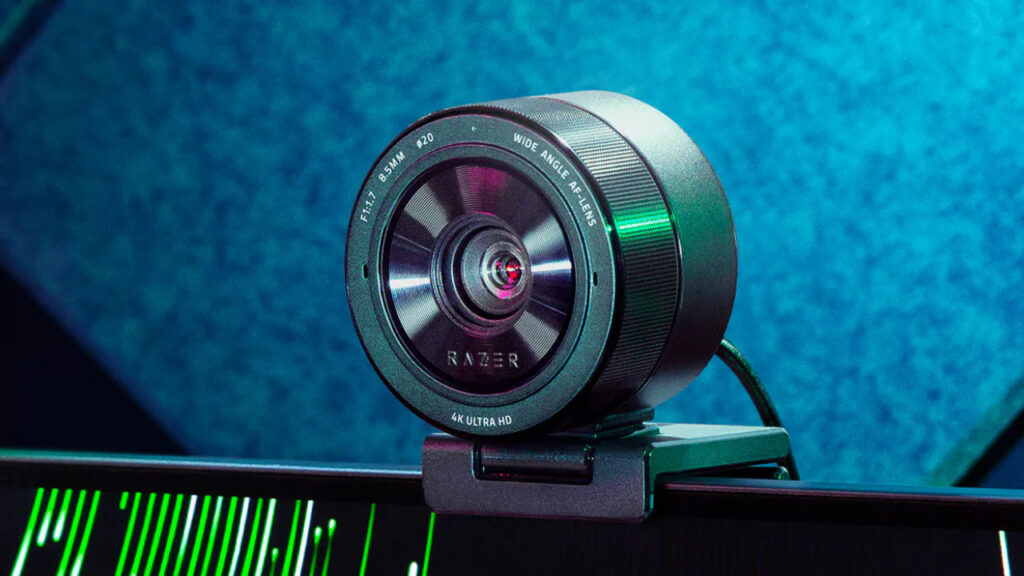
Image credit: Razer
Razer has specified a 1/1.2-inch Sony STARVIS 2 sensor for the Kiyo Pro Ultra, a sensor size that sits closer to compact camera and high-end smartphone sensors than to the smaller 1/4 inch or 1/3-inch sensors still common in many webcams. The larger physical sensor area and the quoted 2.9-micron pixel pitch increase the amount of light captured per pixel which lowers noise at moderate sensitivity levels and improves color fidelity. For buyers who compare spec sheets, these figures explain why the Kiyo Pro Ultra is positioned as a pro grade device rather than a simple conference webcam.
The optical design further enhances the practical advantages of the sensor. A maximum aperture of F1.7 allows more light into the imaging plane and produces a shallower depth of field than most webcams without relying on synthetic blur. That optical contribution means subject separation and background rendition will look more natural in many setups. Razer also pairs the optics with HDR processing which is intended to preserve highlight detail and render deeper shadows more cleanly when the feature is used.
Capture mode choices reflect the engineering tradeoffs between resolution, frame rate, and compression. The product documentation makes the distinction explicit: 4K can be captured at 30 FPS using compressed formats such as MJPEG or H.264 while uncompressed 4K output in YUY2 or NV12 is supported at 24 FPS. Lower resolution modes include 1440p at 30 FPS and 1080p at 60 FPS. Those options give creators the flexibility to prioritize either higher frame rates for smooth motion or higher resolution and lower compression for postproduction work.
How The Software and Design Affect Everything
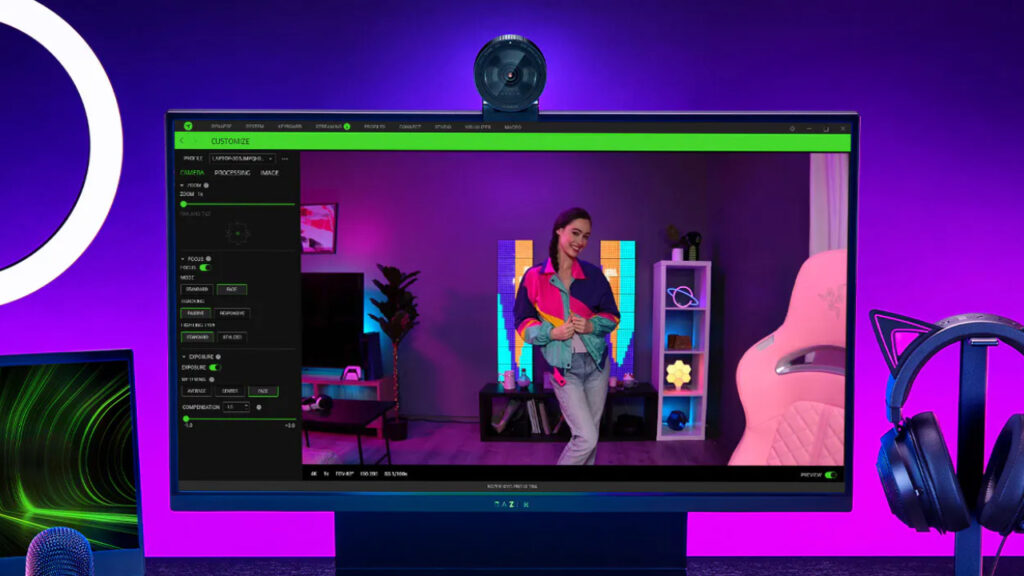
Image credit: Razer
Razer’s Synapse 3 software unlocks the camera’s advanced imaging controls on Windows machines. The software exposes white balance, exposure, color profiles, and AI imaging tools that can automate tonal adjustments and skin tone rendering. Synapse 3 also enables on board memory features so a saved configuration can persist across host computers. The software is powerful, but the official product notes and customer guidance also caution that some features are restricted to certain resolutions and that occasional software instability has been reported, which makes keeping Synapse up to date an important part of ownership.
Design and ergonomics follow the camera’s imaging priorities. The physical footprint measures roughly 3.0 by 2.4 inches and includes a solid rubberized monitor clip with screw adjustment and a tripod thread for stand mounting. The iris style privacy shutter operates by rotating a ring around the lens, which provides a tactile and durable privacy control that avoids removable parts. The included fabric wrapped 5-foot USB A to USB C cable provides a modern USB C interface while preserving compatibility with legacy ports through the cable ends.
Practical design tradeoffs are visible in field of view and microphone design. The Kiyo Pro Ultra’s maximum field of view is 82 degrees which is narrower than the previous Kiyo Pro model and narrower than some wide-angle competitors. That tighter framing favors single person portraits and close up streaming but requires repositioning or external optics for wider desk scenes or multi person framing. Built-in microphones are present and serviceable for calls but Razer’s product details suggest that creators who prioritize audio quality will plan for an external mic.
What To Expect in Real Life
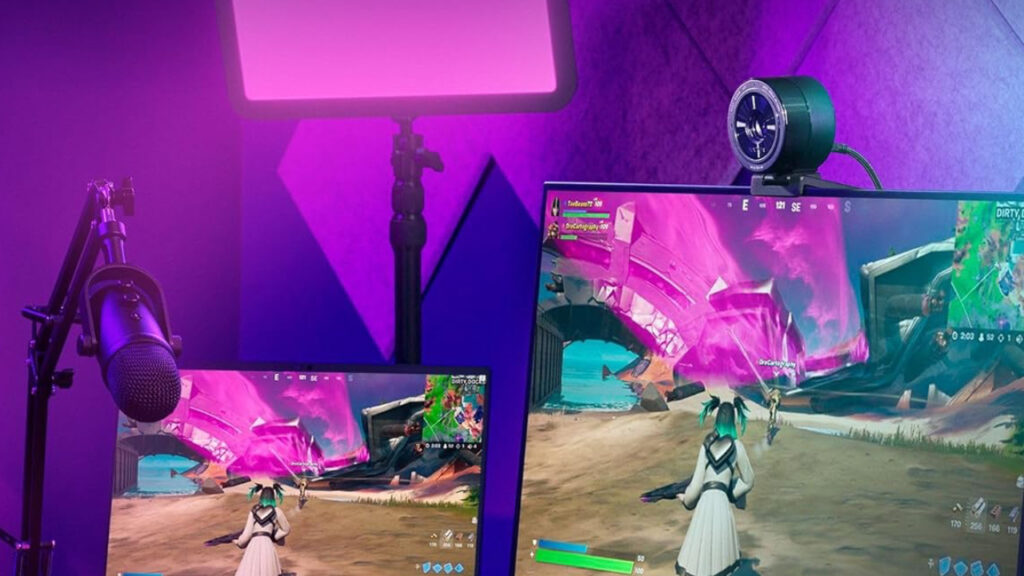
Image credit: Razer
When configured within the constraints described on the product listing, the Kiyo Pro Ultra delivers the kinds of image improvements its hardware implies. In well-lit environments the increased sensor area and F1.7 optics enable higher retained detail and cleaner color transitions than smaller sensor webcams. In mixed or dim lighting conditions the larger pixels and HDR processing help retain highlight detail and keep shadow noise under control relative to many entry level cameras.
Frame rate and dynamic range choices are practical considerations in daily use. HDR is supported but when enabled the camera caps frame rates at 30 FPS across resolutions so it is not possible to use HDR together with a 60 FPS mode. Likewise uncompressed high fidelity 4K output is restricted to 24 FPS under the camera’s supported raw formats so reaching 4K at 30 FPS requires a compressed path. Those constraints matter when planning a workflow for live streaming or for local recording and they make the distinction between resolution and frame rate explicit for prospective buyers.
System compatibility and host throughput are additional real-world limits called out in the product details. High bandwidth modes place stronger requirements on the USB connection and on the host processor and capture software. The manufacturer specifies compatibility with mainstream applications such as OBS and common conferencing platforms and highlights the benefit of matching the camera to a capable host. For users with older laptops or constrained USB implementations the practical outcome may be that 1080p at 60 FPS or 1440p at 30 FPS offers a more reliable experience than high resolution compressed or uncompressed modes.
Things To Consider Before Making a Purchase
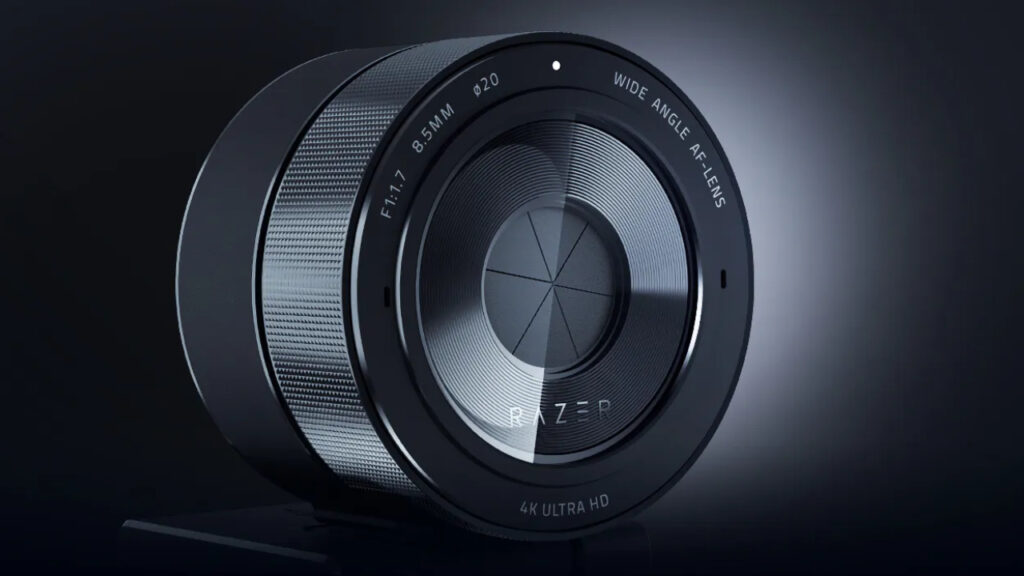
Image credit: Razer
Platform support is a primary purchasing consideration. Synapse 3 runs only on Windows 10 and 11 so the richest set of camera controls and AI imaging features are limited to that ecosystem. On macOS and Chrome OS the camera operates as a plug and play device and will provide the raw imaging benefits of the lens and sensor but without the vendor software for advanced tuning. Buyers who use Apple or Chromebook hardware exclusively should factor the reduced customization into their decision.
The field of view limitation is another practical factor. The 82-degree maximum field of view produces tighter framing than earlier Razer models and then many wide-angle webcams. That narrower coverage is advantageous when you want a cleaner head and shoulders composition and less room background clutter. It is disadvantageous if you need multi person coverage or wide desk views since additional repositioning or a secondary camera will then be required.
Finally consider ancillary ownership items that the product page highlights. The camera includes an iris type privacy shutter, on board memory for saved settings, a durable monitor clip and a tripod thread. The included 5-foot fabric wrapped USB A to USB C cable provides modern connectivity while remaining compatible with legacy ports. The built-in microphones offer convenience but the product details recommend an external microphone for any production where audio quality is a priority. These are straightforward practicalities that should be weighed against the premium price.
Should You Buy the Razer Kiyo Pro Ultra?
The Razer Kiyo Pro Ultra is a technically ambitious webcam that pairs a large 1/1.2-inch Sony STARVIS 2 sensor with a fast F1.7 lens and flexible capture paths to serve creators who need higher baseline image quality from a single USB camera. It is best suited to Windows based streamers and video creators who will use the Synapse 3 controls and who can match the camera with a host system able to handle high bandwidth capture. Buyers who need the tightest possible integration on macOS or who only require a webcam for occasional calls may prefer more affordable options. For buyers focused on image quality, capture flexibility and a robust design the Kiyo Pro Ultra represents a compelling, if premium, choice.