
MIOFIVE S1 Review: Useful Front Recording on a Smaller Budget
A first dash cam should make everyday recording easier without turning the purchase into a major installation project. The MIOFIVE S1 combines 4K front recording, GPS, and a screen in an accessible single-camera package. It is a sensible starting point for drivers who mainly want a record of the road ahead. Its biggest limitation is equally straightforward: this S1 configuration has no rear camera, so events behind the car may remain outside the recording.
Pros
- 4K front recording provides a useful starting point for a budget system.
- A 3-inch display makes framing and status checks easier.
- GPS and 5 GHz Wi-Fi add trip context and convenient local transfers.
Cons
- Front-only coverage leaves the cabin and rear without dedicated views.
- 4K recording tops out at 30fps.
- Parking use requires an appropriate separately purchased power accessory.
One Camera Keeps the Job Manageable
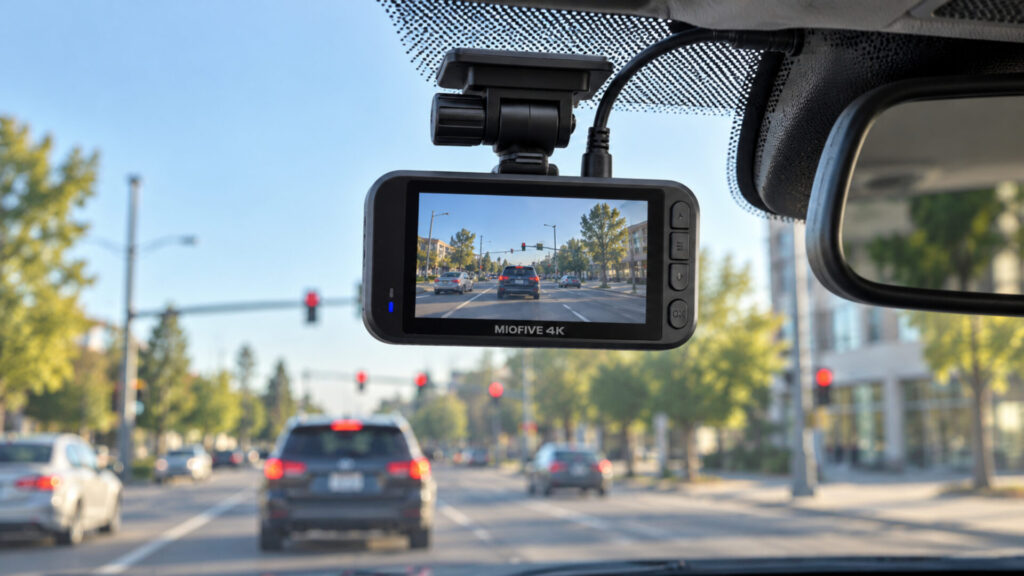
The S1 makes the most sense when the road ahead is the view you want to prioritize. It can record an approaching intersection, the movement of traffic in front of you, and the sequence leading up to a sudden stop. That is a useful foundation for everyday driving, especially when the alternative is having no recording at all.
A front-only arrangement also simplifies installation. You need to position and power one camera rather than route another cable to the rear of the vehicle. There is still work to do, including choosing a clear mounting location and managing the power cable, but fewer components mean fewer placement decisions. For a straightforward commuter setup, that can be a worthwhile advantage.
Be honest about the coverage you are giving up. A vehicle striking the rear of your car may produce movement visible in the forward recording, but the S1 cannot provide the dedicated rear approach footage of a dual-camera system. Likewise, a lens aimed through the windshield should not be expected to document a passenger interaction inside the car.
Choose based on the events you most want to understand afterward. If rear coverage is a priority from the outset, buying a two-camera system is more sensible than hoping the front view will be enough. The VIOFO A229 Pro review offers a useful comparison for buyers considering a larger investment in front-and-rear recording.
Affordable 4K Still Benefits from Careful Expectations
The S1 records 4K video at up to 30 frames per second with a 140-degree field of view. That gives it a broad forward perspective without making the camera a substitute for looking around the vehicle. The practical goal is an understandable road scene with useful detail, not a promise that every object anywhere in the frame will be sharp.
TechRadar’s hands-on review found strong sharpness and relatively little image noise, including after dark. That is encouraging evidence for a budget camera. It is not a guarantee of readable plates on every trip, particularly when vehicles are moving quickly or bright headlights dominate the scene. Original video from conditions similar to your own driving is more informative than a heavily compressed sample.
The 30fps ceiling is worth understanding. It provides regular video playback, but it is not the same as having a high-frame-rate option at the highest resolution. Frame rate alone also does not solve nighttime motion blur. Light, exposure, distance, and the direction of movement all contribute to what a paused frame can show.
Camera angle is an easy improvement to get right. Avoid filling the image with the dashboard or pointing the lens mostly at the sky. Use the display to establish a sensible composition, then check a saved clip on a larger screen. Clean the windshield where the lens looks through it, because even a capable camera cannot remove a distracting smear that sits directly in its view.
The Screen Helps Before You Reach for the Phone
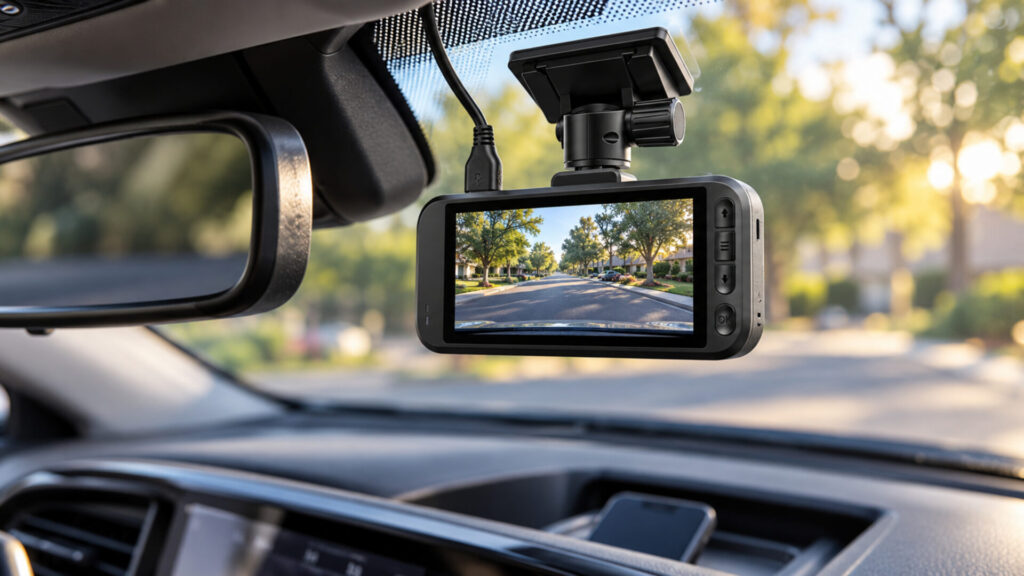
The 3-inch screen is a useful part of the S1’s appeal. It gives you a direct way to assess framing and camera status without beginning every interaction in an app. For someone buying a first dash cam, that visible feedback can make the initial setup feel more understandable. The display should support setup and checks while parked, not become another screen to watch while driving.
Mount the camera where it has an unobstructed forward view and does not interfere with your own. Check access to the card and power connection before committing to the position. A location that looks tidy from outside may be inconvenient if the mirror blocks a control you need regularly. Leave enough room to service the camera without pulling the mount loose.
The 5 GHz Wi-Fi connection helps move footage to a nearby phone. It is local connectivity, not built-in mobile data. You do not get remote surveillance simply because the camera has Wi-Fi. Expect to connect near the vehicle when retrieving clips, and learn that process before an incident makes the task urgent.
GPS provides useful trip context alongside the video. Confirm the time and location information on an actual recording after setup. Then practice exporting a short clip and opening the saved copy with the camera disconnected. That last step helps distinguish a file you have truly saved from one you have only previewed inside the app.
Parking Use Changes the Cost and Routine
The S1’s parking functions require a suitable power accessory, such as the compatible hardwire or OBD arrangement sold separately. A normal switched vehicle outlet may stop supplying power when the car is turned off. Decide whether parked recording is essential before setting your budget, since the camera’s purchase price does not cover every possible installation.
Parking impact recording and time-lapse recording serve different purposes. One centers on detected events, while the other condenses activity over a longer period. Check the current instructions for the behavior of the mode you choose. Do not assume it preserves audio, full-speed video, or a lead-up to every incident merely because the camera supports a parking feature.
The supercapacitor is part of the camera’s power management, not an independent overnight power supply. It does not eliminate the need for external power or make the unit immune to temperature limits. Keep the installation within the manufacturer’s operating guidance and pay attention to startup behavior after long periods parked in hot or cold conditions.
Budget for a suitable endurance memory card if one is not included in the bundle you select. Card packages can vary, so check that detail before checkout. Format the card as instructed, save important footage elsewhere, and inspect recent recordings occasionally. Loop recording is convenient because it reuses space, but it also means ordinary footage is temporary unless you copy it before it is replaced.
For a shared vehicle, make the basic routine easy for every driver to follow. Explain the normal recording indication, how to preserve a clip, and what to do if the camera reports an error. A simple camera becomes more dependable in practice when everyone using the car knows what normal operation looks like and notices when that behavior changes.
Should You Buy the MIOFIVE S1?
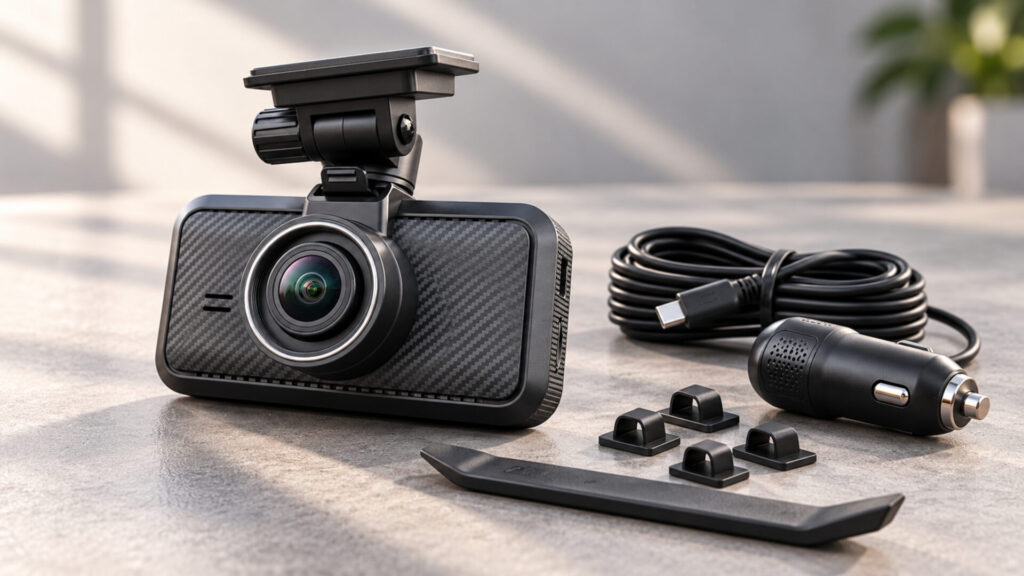
This is a good fit for a driver who wants a capable forward-facing camera with a visible screen and a manageable setup. The combination of 4K recording, GPS, and local wireless transfer is useful without requiring a multi-camera installation. The front-only limitation should be an accepted choice rather than a surprise discovered after an incident.
Spend more on a dual-channel system if rear coverage is one of your main reasons for buying. Consider a smaller screenless camera if keeping hardware out of sight is the overriding concern. Within the best dash cams lineup, the MIOFIVE S1 is the budget-focused starting point for drivers whose needs are centered on the road ahead.