
The Best External Hard Drives for Every Storage Need
The best external hard drives balance capacity, speed, portability, and protection for backups, media libraries, travel, and everyday file storage.
External storage is most useful when the drive matches the job. A desktop HDD can protect an entire computer and years of family media at a reasonable cost, while a portable SSD moves active projects quickly and fits in a pocket. High-capacity portable HDDs split the difference, and rugged models add protection for travel, field work, and unpredictable conditions.
| Best Overall Western Digital My Book 6TB | Best Value Desktop Drive Seagate Expansion Desktop 4TB | Best Portable SSD Crucial X9 2TB Portable SSD |
 |  | 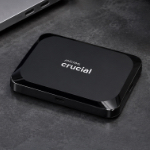 |
| A roomy desktop HDD with cross-platform formatting, password protection, hardware encryption, and backup software for dependable home or office storage. | A straightforward 4TB desktop drive for bulk storage and backups when capacity and simplicity matter more than encryption or SSD speed. | A pocket-size USB-C SSD with up to 1,050 MB/s reads, broad device compatibility, and enough capacity for travel, work, games, and fast backups. |
| Best High-Capacity Portable Drive WD My Passport Ultra 5TB | Best for Creative Workflows LaCie Mobile Drive 5TB | Best Rugged Drive SanDisk G-DRIVE ArmorATD 2TB |
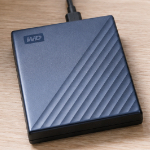 | 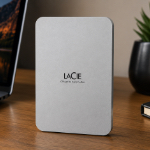 | 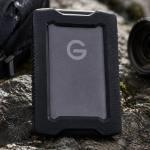 |
| A bus-powered 5TB portable HDD with USB-C, an included USB-A adapter, a metal-accented case, and password-protected hardware encryption. | A refined 5TB USB-C portable HDD with cross-platform support, LaCie Toolkit backups, and a design that fits neatly into creative workspaces. | A ruggedized 2TB portable HDD with an aluminum enclosure, shock protection, an easy-grip bumper, and IP54 resistance for travel and field work. |
Choosing Between an HDD and SSD
The best external hard drives provide more capacity for the money and remain the practical choice for large backups, completed projects, media archives, and files that are not moved constantly. Their spinning platters make them slower, audible, and more sensitive to impact. Desktop HDDs also need wall power, while portable versions trade some speed and ruggedness for bus-powered convenience.
Solid-state drives cost more per terabyte but respond much faster, stay silent, and tolerate ordinary movement better because they have no moving parts. They are the better fit for active photo and video folders, frequent large transfers, game libraries, and work that moves between locations. A strong storage plan often uses both: SSD speed for active files and HDD capacity for backup and archive duty.
How Much Capacity Makes Sense?
Two terabytes is a useful portable starting point for active projects, games, and laptop backups. Four to six terabytes makes more sense for household archives, full-system backups, large photo libraries, and years of media. Capacity should include room for growth and backup history rather than matching the amount of data stored today. A drive that begins nearly full will be harder to organize and may force an early replacement.
No capacity makes a single drive safe enough to hold the only copy of important files. Keep at least one additional copy, preferably in another location. A local external drive protects against computer failure, while an off-site or cloud copy protects against theft, fire, and disasters that can affect every device in the same room.
For setup, maintenance, and safe-ejection advice, click the button below:
Best Overall: Western Digital My Book 6TB
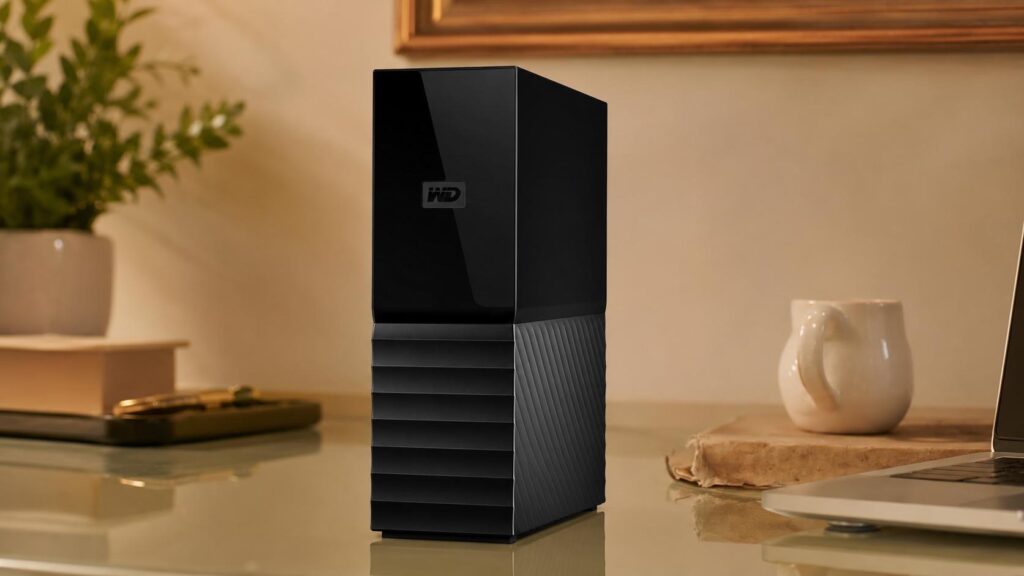
- Six terabytes provides substantial room for computer backups, photo libraries, and long-term media storage.
- Password protection and 256-bit AES hardware encryption add practical safeguards for private files.
- Out-of-box Windows and macOS compatibility makes initial setup simpler in mixed-device homes and offices.
The My Book is the most complete desktop backup choice in the lineup. Six terabytes provides room for full computer backups, family media, and long-term archives, while the current exFAT formatting allows Windows and macOS users to begin without an immediate reformat. The upright enclosure stays narrow on a desk and includes the AC adapter required by the internal 3.5-inch hard drive.
Password protection and 256-bit AES hardware encryption make it more appropriate for sensitive home-office files than a bare desktop HDD. The included software can schedule backups and manage the drive, reducing the friction that often causes people to postpone protection. Its Micro-B connector and mechanical speed are not modern luxuries, but neither limits ordinary backup and archive work. The strongest buyer wants a spacious, stationary drive that handles more than manual file copying.
Best Value Desktop Drive: Seagate Expansion Desktop 4TB
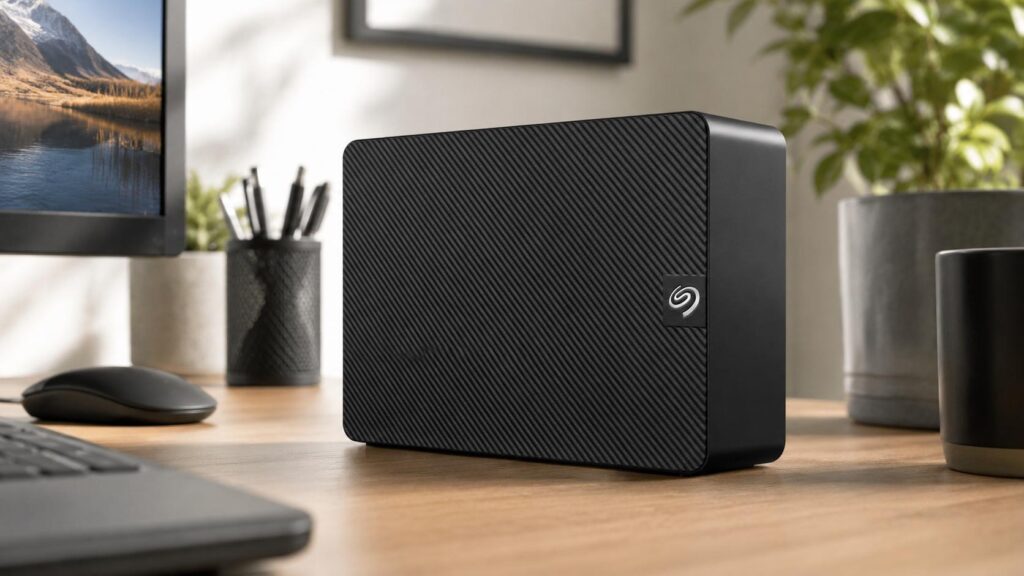
- Four terabytes covers large household backups and media collections without the premium cost of an SSD.
- Drag-and-drop operation keeps setup uncomplicated for users who want storage rather than extra software features.
- The included power adapter and full-size enclosure suit steady desk use and repeated large-file transfers.
The Seagate Expansion is the value choice for buyers who want four terabytes of straightforward desk storage. It connects through USB 3.0, uses an external power adapter, and emphasizes drag-and-drop simplicity rather than encryption or premium materials. The full-size enclosure has enough mass to remain stable during long transfers and enough ventilation for sustained backup jobs.
Its mechanical drive works best with large sequential files, computer backups, and media folders that mostly stay in one place. SSDs are much faster, and users with confidential files may prefer the My Book’s hardware encryption. The Expansion earns its place by keeping the feature set simple and directing the budget toward useful capacity. It is especially suitable for households that already have preferred backup software.
Best Portable SSD: Crucial X9 2TB Portable SSD
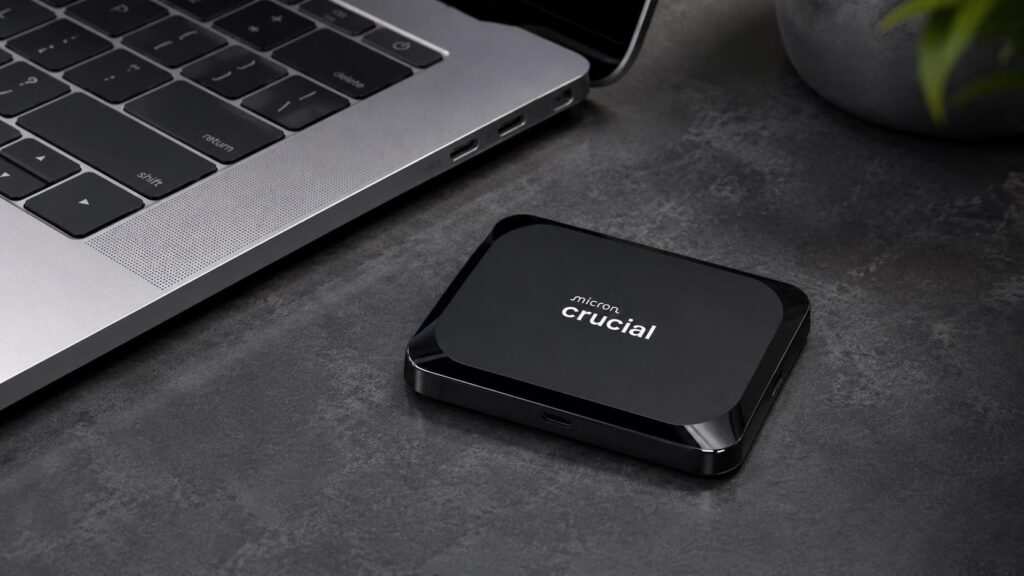
- Up to 1,050 MB/s read performance makes large transfers feel much quicker than portable mechanical drives.
- The 2TB capacity balances useful working space with a body small enough for a pocket or accessory pouch.
- USB-C connectivity works across modern computers, tablets, phones, and supported game consoles.
The Crucial X9 is the speed-focused portable option. Rated reads up to 1,050 MB/s make large photo folders, game transfers, and laptop backups feel far more responsive than they do on a mechanical drive. The 2TB model is small enough for a pocket and draws power through USB-C, so it works without a charger or power brick.
The standard X9 should not be confused with the X9 Pro. It does not carry the Pro model’s IP55 rating or integrated hardware encryption, which keeps the price lower but changes the best use case. It suits careful travel, office work, gaming storage, and everyday file movement. Users who need weather resistance should choose the ArmorATD, while anyone who prioritizes fast, compact storage will appreciate the X9.
Best High-Capacity Portable Drive: WD My Passport Ultra 5TB
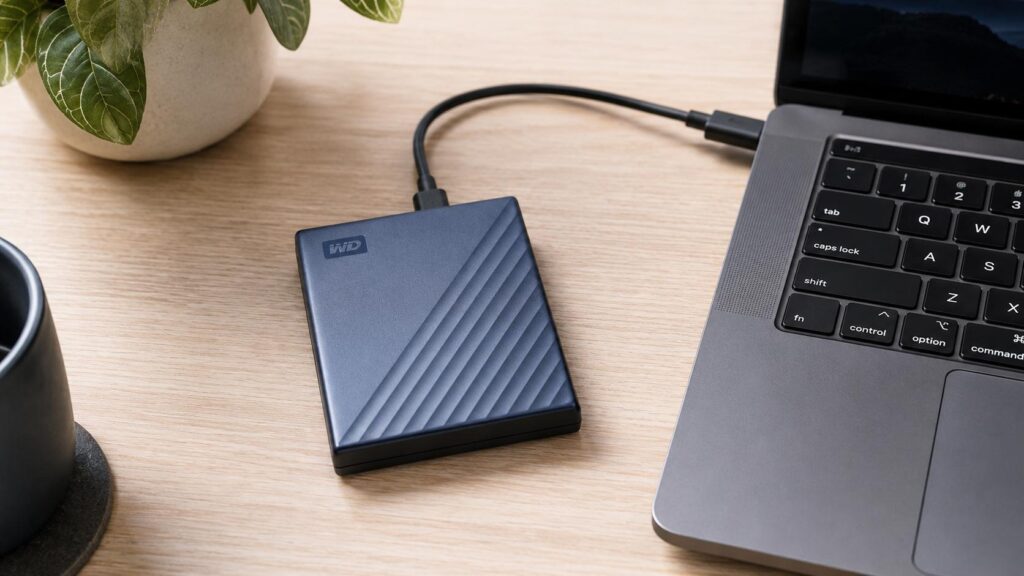
- Five terabytes carries a very large photo, document, or media library without a separate power brick.
- USB-C plus the included USB-A adapter makes the drive easier to move between newer and older computers.
- Hardware encryption and password tools provide more control over sensitive portable data.
The My Passport Ultra carries five terabytes without requiring wall power. That makes it a strong choice for photographers, consultants, students, and families who need a very large portable archive. USB-C handles current laptops, and the included USB-A adapter keeps older computers in the workflow. The 5TB version is thicker than smaller portable drives, but it remains easy to pack.
Password protection and 256-bit AES hardware encryption help protect private data if the drive is misplaced. Its mechanical disk is slower and more impact-sensitive than the Crucial X9, so it belongs in a padded case and should remain still during transfers. For buyers who need maximum portable capacity at a lower cost than a 5TB SSD, the tradeoff is compelling.
Best for Creative Workflows: LaCie Mobile Drive 5TB
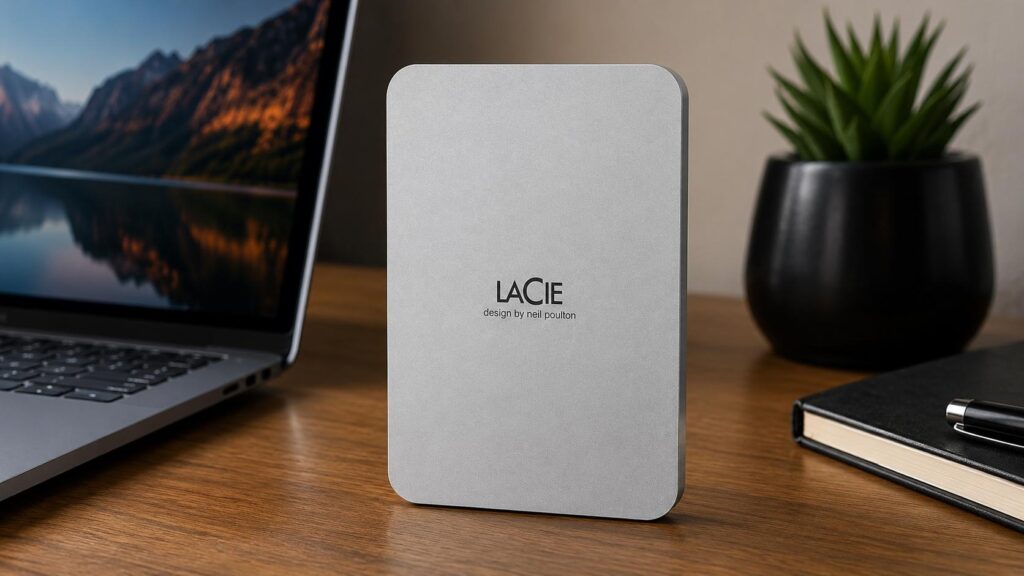
- Five terabytes offers generous space for photo archives, project files, exports, and traveling media libraries.
- USB-C connectivity supports modern PCs, Macs, iPads, and compatible iPhones without a separate power supply.
- LaCie Toolkit, Rescue Data Recovery Services, and the included creative-software offer add workflow value.
The LaCie Mobile Drive is the best fit for creative workflows because it combines five-terabyte capacity with a refined USB-C package. The Moon Silver enclosure looks at home beside modern laptops and studio equipment, while LaCie Toolkit supports scheduled backups and folder synchronization. Current cross-platform compatibility extends to PCs, Macs, and supported USB-C mobile devices.
Its mechanical performance is better suited to archives, backups, image browsing, and completed projects than demanding high-resolution editing. The three-year warranty, Rescue Data Recovery Services, and included creative-software offer add value that basic portable HDDs often lack. Buyers who care only about cost can spend less; buyers who want capacity, presentation, and a polished workflow receive a more complete package.
Best Rugged Drive: SanDisk Professional G-DRIVE ArmorATD 2TB
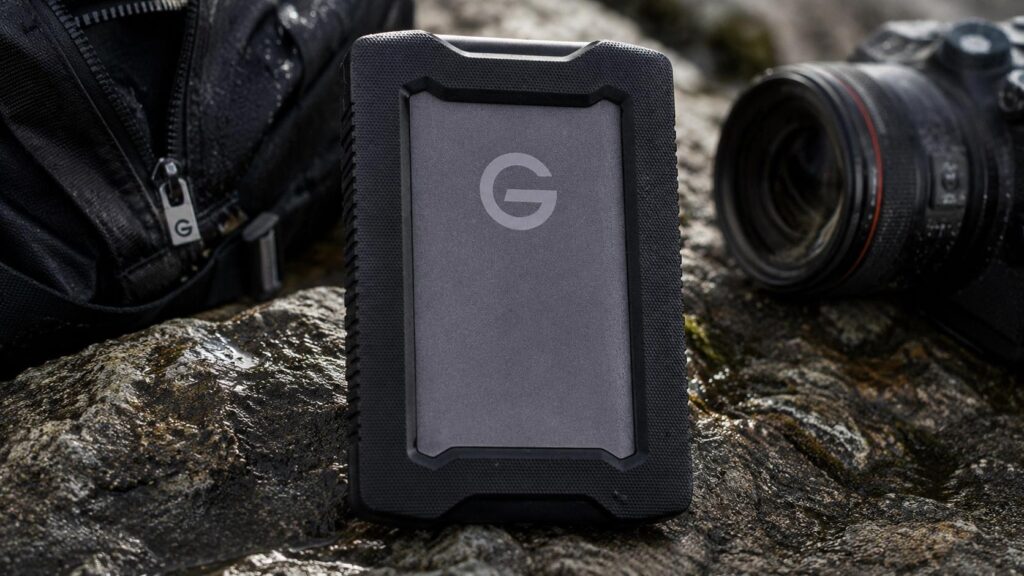
- The aluminum shell, internal shock mounts, and rubber bumper provide more protection than a standard portable HDD.
- IP54 rain and dust resistance makes the drive better suited to field work, travel, and outdoor production days.
- USB-C and USB-A cables are included, reducing adapter hassles across mixed computer setups.
The ArmorATD is built for files that leave the office. Its anodized aluminum shell, internal shock mounts, and rubber bumper give the 2TB mechanical drive more impact protection than an ordinary portable HDD. IP54 resistance helps with dust and splashing water, and crush resistance up to 1,000 pounds provides reassurance inside crowded field cases.
USB-C and USB-A cables are included, and rated reads up to about 130 MB/s suit field backups, photo offloads, and completed media. It is slower and heavier than a rugged SSD, and Windows users must reformat it before normal use. For photographers, researchers, and travelers who need affordable capacity with physical protection, it is the most specialized choice in the group.
Final Thoughts
The Western Digital My Book is the most rounded choice for stationary backups because it combines capacity, security, software, and cross-platform setup. The Seagate Expansion is the simpler value alternative, while the Crucial X9 is the clear pick when speed and pocket-size portability matter most. The My Passport Ultra and LaCie Mobile Drive each carry five terabytes without wall power, with WD emphasizing security and LaCie emphasizing a polished creative workflow. The ArmorATD is the right choice when the drive must survive travel and field conditions.
The best external hard drives are only one part of data protection. Choose enough capacity for growth, automate backups where possible, verify that files can be restored, and keep another copy in a different location. A dependable routine turns any of these products from extra storage into meaningful protection.