
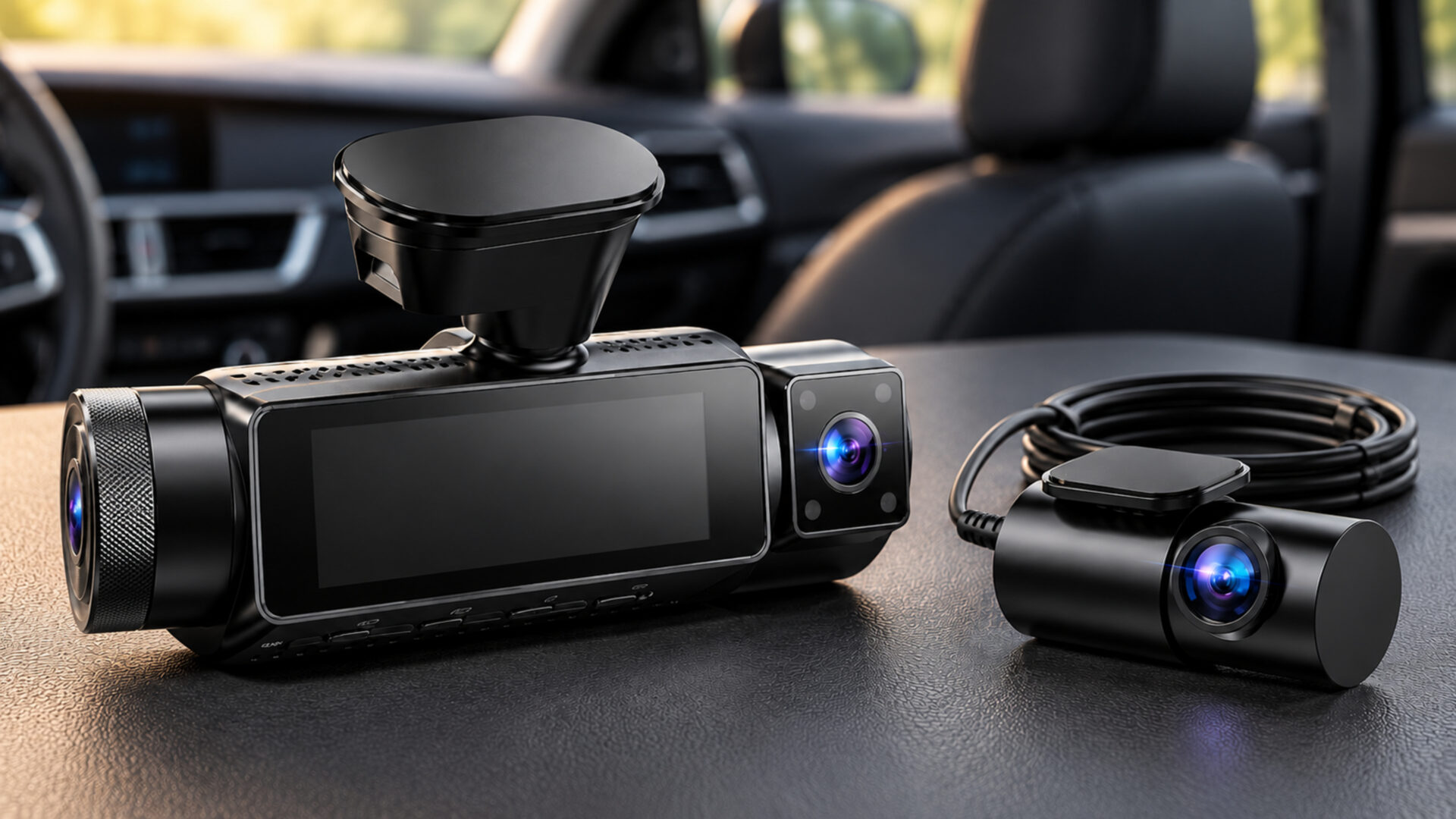
Vantrue N4 Pro S Review: A Strong Fit for Passenger Work
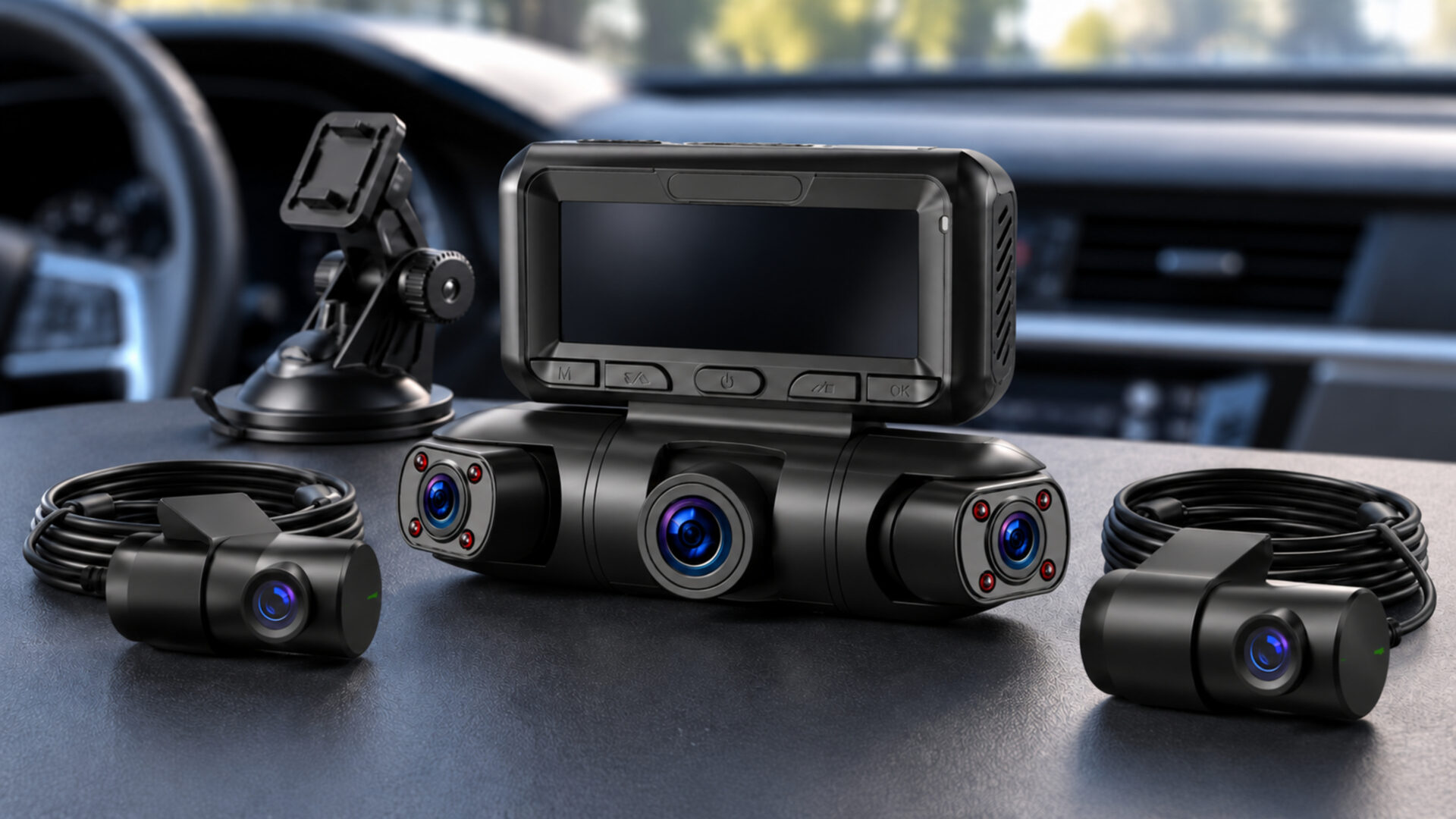
Passenger work creates two stories to document: what happens on the road and what happens inside the car. The Vantrue N4 Pro S records the road ahead, the cabin, and the traffic behind you. That combination makes it a strong choice for rideshare drivers who want cabin coverage without giving up a dedicated rear view. The tradeoffs are a more involved installation and extra spending if parking recording is part of the plan.
Pros
- Dedicated front, cabin, and rear recordings suit passenger-carrying work.
- 4K front and 2.5K rear video provide useful resolution on both road-facing views.
- Infrared cabin recording supports use after dark.
Cons
- The selected RC18 rear camera is not waterproof and belongs inside the vehicle.
- Parking operation requires a compatible power accessory purchased separately.
- Three-channel recording increases storage and installation demands.
A Cabin Camera Gives Passenger Trips More Context
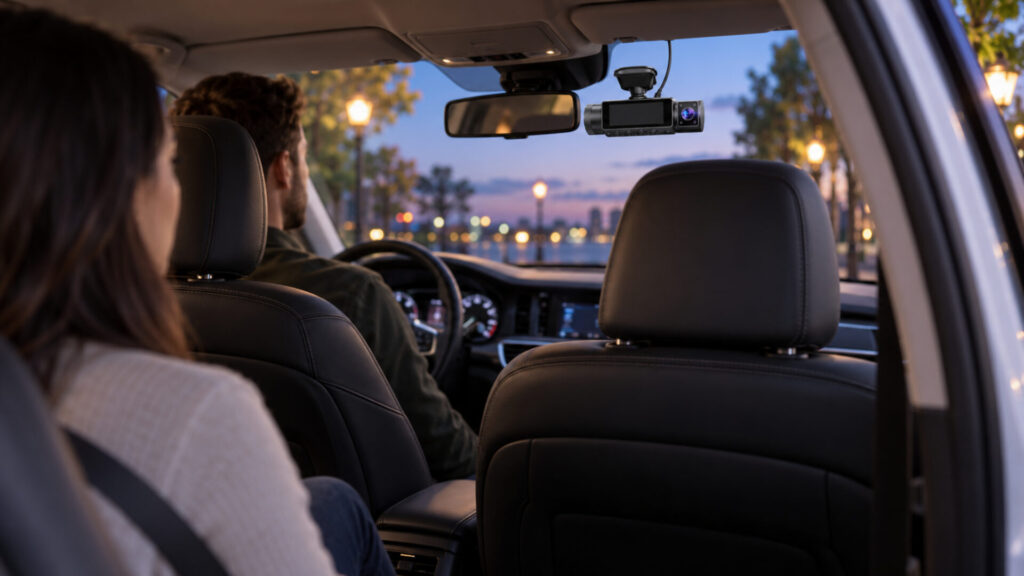
The cabin view is the main reason to choose this system over a two-camera kit. It can show an interaction that a road-facing camera cannot, while the separate rear camera remains available to document approaching traffic. For someone making regular pickups, those recordings answer different questions. The interior view should not be treated as a substitute for a lens looking through the rear window.
Camera placement determines how useful that interior recording will be. Before fixing the front assembly in position, check both the road view and the cabin composition. A mounting position that gives the front lens a clear view may leave a mirror housing or a front-seat headrest blocking part of the interior. Check with the seats adjusted as they will actually be used.
Infrared illumination helps the cabin camera record in darkness. Expect a different appearance from ordinary daylight footage when infrared is active, rather than treating accurate color as the purpose of that mode. Faces, movements, and the sequence of an interaction are usually more important to this use case than attractive video. Bright reflections from nearby surfaces can still affect the picture.
Make an intentional decision about audio before carrying passengers. The camera’s recording settings should match your operating practices, and passengers should understand when recording is taking place. Review the requirements applicable to your location and work platform rather than assuming an interior camera creates the same expectations everywhere. This is a practical setup decision to resolve before the first paid trip.
Resolution Is Divided Sensibly Across Three Channels
The N4 Pro S records at 4K in front, 1080p inside, and 2.5K at the rear, with simultaneous 30fps recording. That distribution gives the road-facing views more pixels while keeping a dedicated cabin feed. It is a useful configuration for a driver who wants to review both traffic and passenger activity without moving a single camera between jobs.
STARVIS 2 sensors and HDR support the system’s low-light ambitions. Even so, a sensor name cannot establish whether a particular plate will be readable. Speed differences, distance, reflections, and available light affect the outcome. Consider a sharp sample frame a demonstration of one condition, not proof that every nighttime encounter will be equally clear.
Check original footage from the routes and hours you drive. A brightly lit urban pickup lane poses different problems from an unlit suburban road. Look for usable detail in moving traffic as well as stationary objects. Review the rear recording separately, especially if it looks through tinted glass or a window that becomes dirty quickly.
There is independent hands-on coverage of the N4 Pro S platform, but rear-camera variants need care. Some tests use the weatherproof RC09 assembly. Those results should not be read as a guarantee for the RC18 camera in this bundle. The practical buying advantage here remains the combination of three dedicated views and substantial road-facing resolution, with your own installation determining what those views can see.
Install the RC18 for a Clear Interior Rear View
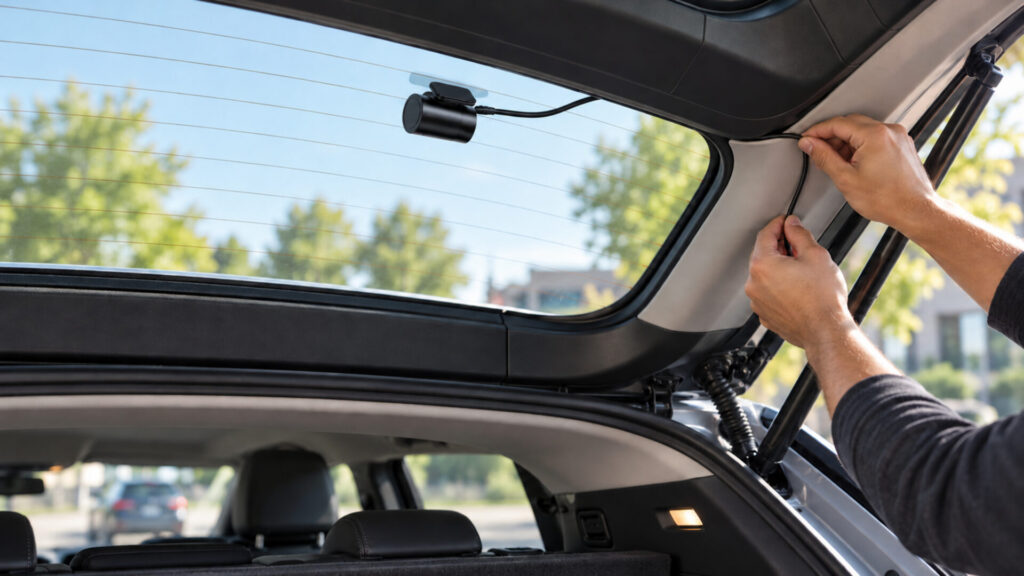
This configuration includes the RC18 rear camera, which is not weather-sealed. It should be installed inside the vehicle. Do not buy it expecting to place the rear lens outside above a license plate. Vantrue’s waterproof rear-camera option is a different configuration, and the distinction changes both the mounting possibilities and the work involved.
Choose the rear position before routing the cable. Check the view with the hatch or trunk closed, and account for any rear-window elements that might cut through an important part of the image. In a hatchback, the cable also needs enough movement allowance for opening the hatch without tension. A tidy appearance is useful, but reliable connections and a clear view come first.
At the windshield, leave access to controls and connections while keeping the driver’s view clear. The front assembly serves more than one lens, so evaluate it from both inside and outside the car. Avoid committing to adhesive placement after looking only at the screen. A recording opened on a larger display makes framing errors much easier to spot.
Professional installation is worth considering if cable routing or parking power is unfamiliar. Discuss the selected rear-camera variant and the intended parking functions with the installer before work begins. The result should be a system that starts correctly, records all three views, and allows the car’s normal doors and interior fittings to operate without pulling on cables.
Parking Recording Adds Power and Storage Decisions
Buffered parking recording can preserve footage from before a detected event, which is more useful than a clip that begins only after the action. It still depends on the correct power arrangement and enabled settings. The N4 Pro S needs a compatible separately purchased parking-power accessory; a camera plugged into a socket that turns off with the ignition cannot keep recording indefinitely.
Choose the power kit with battery protection and vehicle compatibility in mind. A parking feature is not a promise of unlimited operation. The car’s battery condition, the selected recording mode, and the time parked all influence how long recording can continue. Ask an installer to demonstrate the transition between driving and parking modes so you know what normal operation looks like.
Three video streams also change the storage calculation. Use a compatible endurance card and treat recorded footage as a rolling history. A larger supported card gives more room, but the useful retention period depends on settings and actual files. Avoid planning around a precise number of hours without checking your own recordings.
The local Wi-Fi connection provides a convenient route to the phone, while GPS adds trip context. Learn how to retrieve the front, interior, and rear clips from the same event. Keep the original files together when you make a backup. A single exported view may omit the detail that makes the sequence understandable, and a protected file on the camera is still vulnerable if the card or device is lost.
Should You Buy the Vantrue N4 Pro S?
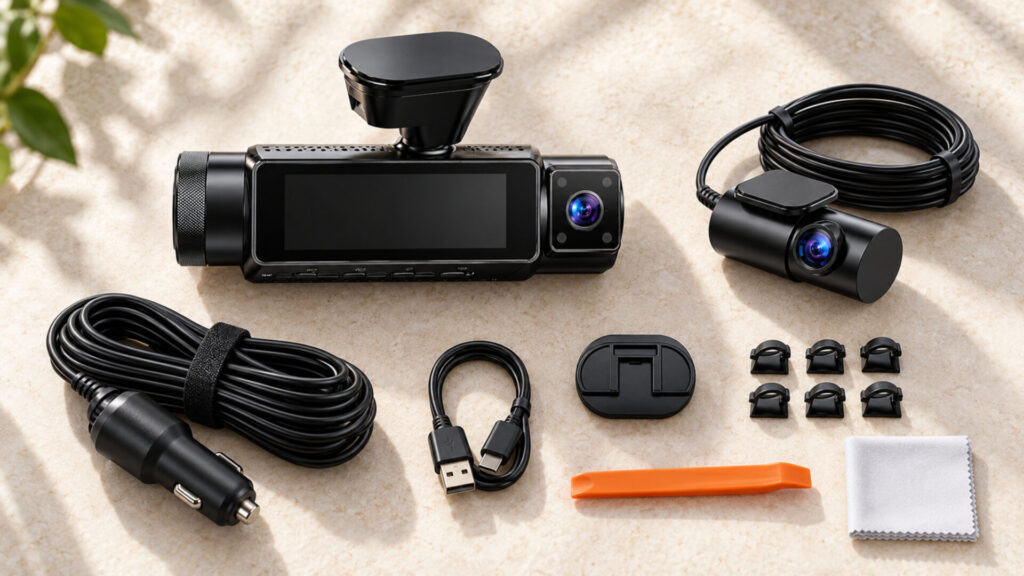
For regular passenger work, this is a persuasive balance of cabin coverage and dedicated front-and-rear recording. It asks for more installation effort than a small front camera, but that effort supports a clear purpose. Buy it because the interior view is useful to you, not simply because a larger channel count sounds more comprehensive.
If you rarely carry passengers and care mainly about road detail, the VIOFO A229 Pro offers a focused alternative. The best dash cams comparison also includes simpler choices. For a driver prepared to install the RC18 inside the vehicle and budget for the right parking accessories, the Vantrue N4 Pro S earns its place as a passenger-focused recommendation.